For those of us who aren’t designers or typography experts, picking the right font for your custom t-shirt can be a very overwhelming task. There are 176 different fonts to choose from in our design tool alone! With so many different options, how are you ever supposed to decide?
To help make your font decisions easier, we’ve put together a list of our 25 favorite t-shirt fonts that can be found in the Bonfire design tool. We tell you the best way to design with each font, including helpful formatting tips from our design team. We have also created free, editable example design templates using each font, so you can use them to create your custom shirt design.
Explore our 25 favorite t-shirt fonts below to see what matches your creative vision!
Key Takeaways
- Select a font style—like retro, minimalist, or athletic—that matches your message and instantly communicates the “vibe” or personality of your design.
- Pairing a bold display font with a clean, simple font for supporting text makes designs look more professional.
- Avoid using more than three fonts per design to boost readability and keep your message clear.
Want to design custom shirts in minutes, sell with no inventory, and keep 100% of profits?
Do it all with Bonfire.
Most Popular T-Shirt Fonts: At a Glance

|
Font Name |
Style |
Best For… |
Best Paring |
|
Sans-Serif |
Minimalist Designs & Curved Text |
Roboto | |
|
Slab-Serif |
Classic, Sporty Designs |
Lato | |
|
Display |
Bold, Retro Designs |
News Cycle | |
|
Serif / Typewriter |
Vintage Designs & Thoughtful Quotes |
Oswald | |
|
Script |
Elegant, Feminine Designs |
Montserrat | |
|
Handwritten |
Nature & Outdoorsy Themes |
Crafty Girls | |
|
Serif / Display |
Bold & Stylish Headlines |
Oswald | |
|
Display |
Playful, Youthful Designs |
Roboto | |
|
Handwritten |
Textured, Gritty Designs |
Lato | |
|
Sans-Serif / Display |
Bold, Streetwear-Inspired Designs |
Open Sans |
Montserrat: Best for Minimalist Designs & Curved Text
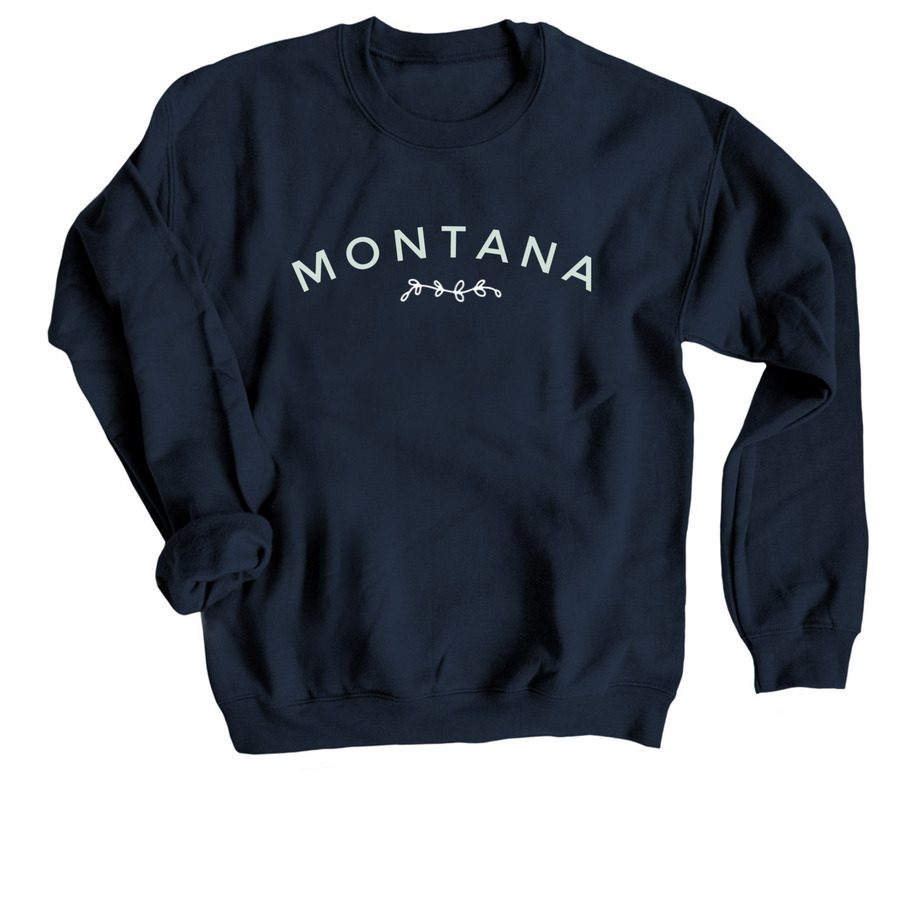
Designing with this Font: Montserrat is a clean, minimal font. It looks best in upper case letters with added spacing between the letters. It’s also a great font choice when creating a design with curved text.
Popular Font Pairings: Roboto, Raleway, Oswald, and Lato
Graduate: Best for Classic, Sporty Designs
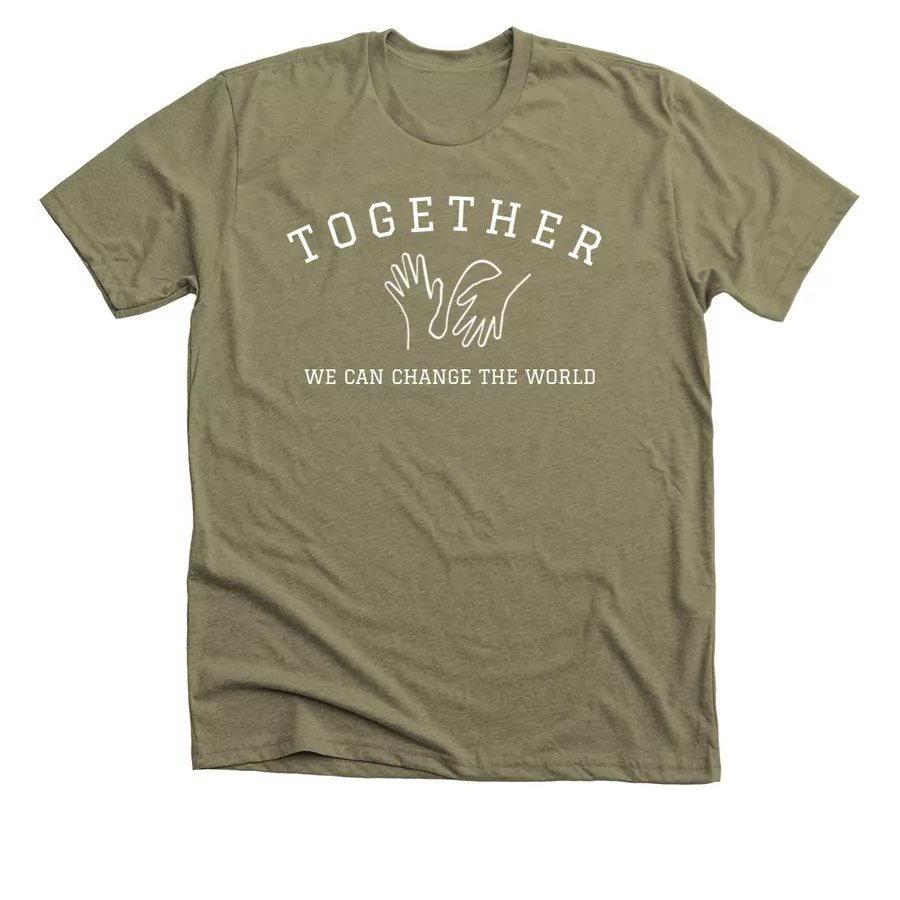
Designing with this Font: Give your shirt a timeless and clean look by arching the Graduate t-shirt font with all capital letters. This slab-serif font works well for school and sports shirts.
Popular Font Pairings: Roboto, Lato, Montserrat, and Lobster
Shrikhand: Best for Bold, Retro Designs
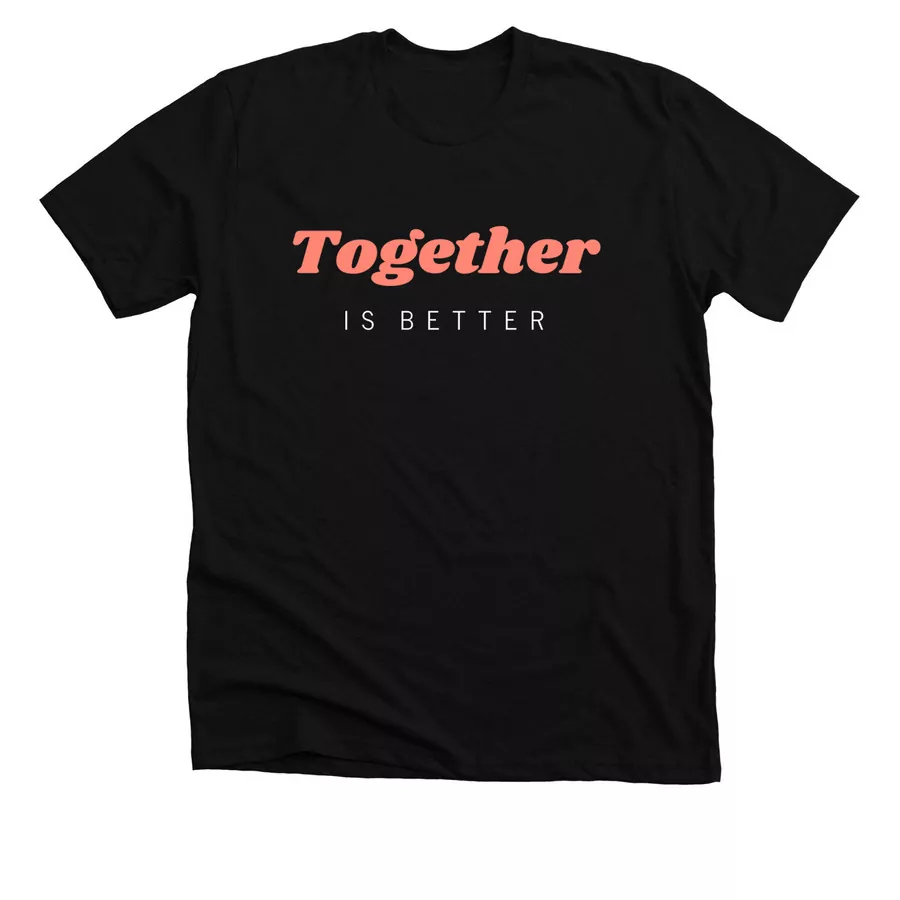
Designing with this Font: Shrikhand is bold and a little retro. Embrace its boldness by using it to highlight a meaningful word in your design, or use it with reds, blues, and yellows to create a retro shirt design with a groovy look.
Popular Font Pairings: Roboto, News Cycle, Montserrat, Lato, Raleway
Sue Ellen Francisco: Best for Inspirational Quotes
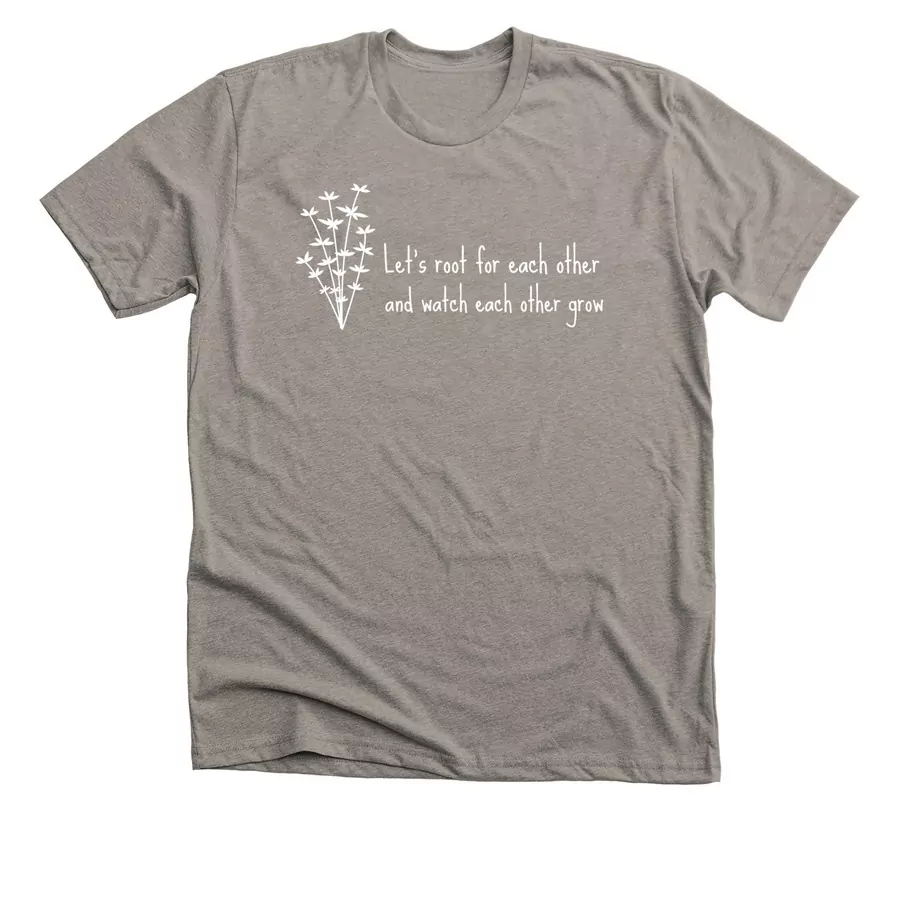
Designing with this Font: Based on the creator’s own handwriting, the Sue Ellen Francisco t-shirt font looks great next to simple, minimalist graphics. This is a great way to style your next inspirational quote design.
Popular Font Pairings: Roboto, Lobster, and Pacifico
Special Elite: Best for Vintage Designs & Thoughtful Quotes

Designing with this Font: This font is meant to emulate typewriters of the past. Special Elite works well for drawing attention to a short quote or saying. Use all lowercase letters to give it a timeless and thoughtful look.
Popular Font Pairings: Oswald, Merriweather, Josefin Slab, and Pacifico
Archivo Narrow: Best for Clean, Readable Text

Designing with this Font: Whether Archivo Narrow is being used as the main element of your design, or shrunken down to write small details below your main design elements, this simple sans-serif font is readable, bold, and clear.
Popular Font Pairings: Roboto, Raleway, Lato, and Lobster
Oswald: Best for Condensed & Impactful Designs

Designing with this Font: Oswald’s slim design makes it work great with a little spacing between the letters, or at its standard-setting. It’s clean, minimalist, and looks good large or small.
Popular Font Pairings: Lato, Oswald, Roboto, Montserrat, and Raleway

Sacramento: Best for Elegant, Feminine Designs

Designing with this Font: The script font Sacramento is clean, refined, and feminine. It pairs well with a sans serif font such as the ones listed below, especially when those letters are spaced out a bit.
Popular Font Pairings: Montserrat, Oswald, Josefin Slab, and Roboto
Caveat Brush: Best for Playful, Handwritten Designs
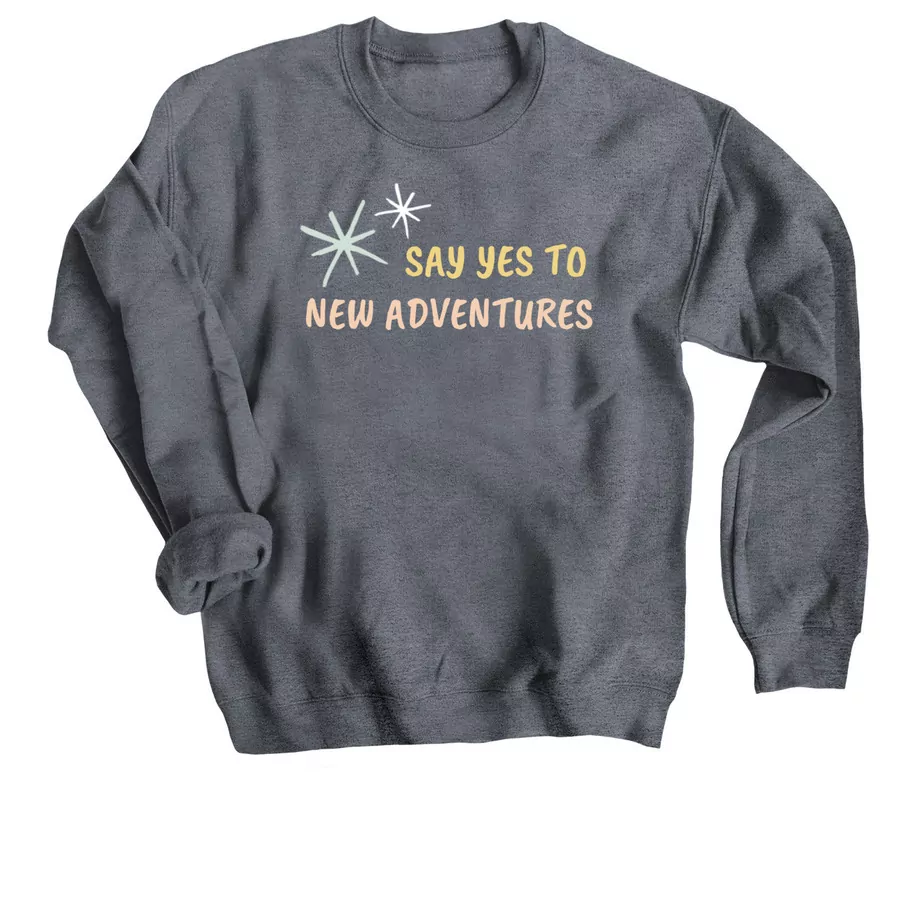
Designing with this Font: We love the textures of Caveat Brush. Its handwritten feel makes it a great font choice to pair with a textural drawing or sketch. This playful font looks best in all uppercase letters.
Popular Font Pairings: Lato, Raleway, Montserrat, and Oswald
Amatic SC: Best for Nature & Outdoorsy Themes

Designing with this Font: Amatic SC exudes outdoorsy, nature vibes. This is the perfect font choice if you’re creating a shirt about hiking, exploring, or any other kind of adventuring.
Popular Font Pairings: Crafty Girls, Oswald, and Schoolbell
Ultra: Best for Retro Layering & Shadow Effects
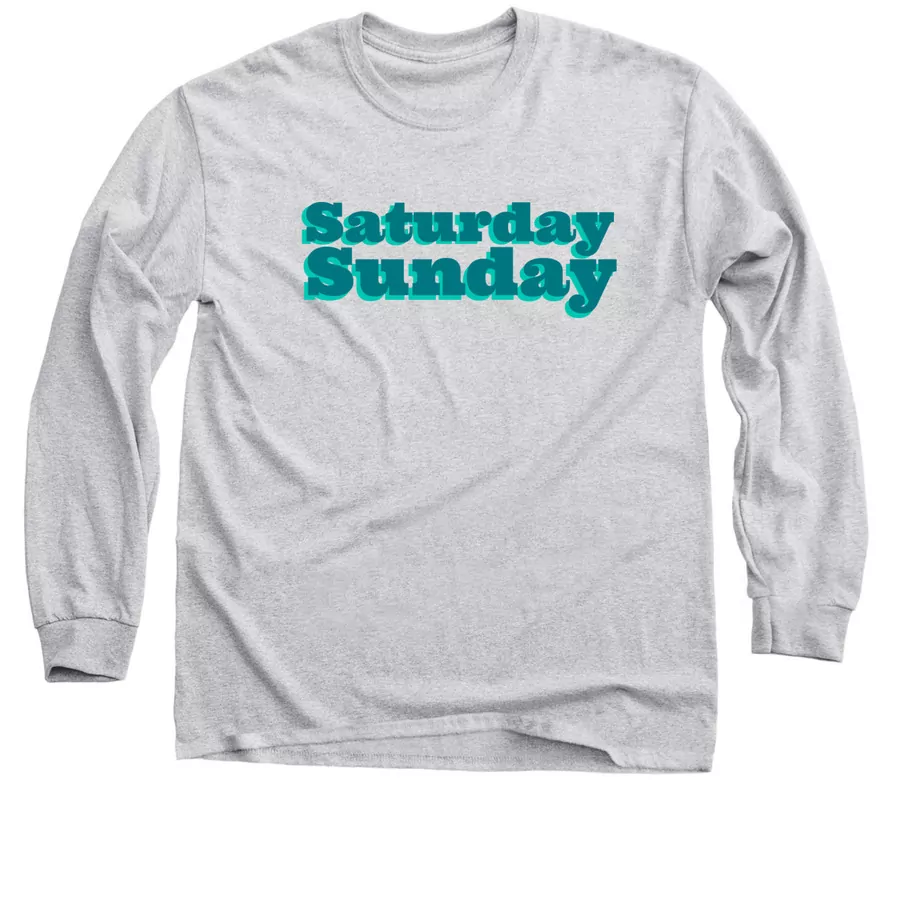
Designing with this Font: The boldness of Ultra makes it a great font to use this layering technique for. You can create a retro shadow effect with Ultra by stacking off-centered text in contrasting colors on top of each other.
Popular Font Pairings: Roboto, Open Sans, and Arvo
Abril Fatface: Best for Bold & Stylish Headlines

Designing with this Font: Abril Fatface is refined, yet playful, and thus perfect for expressing bold ideas. Make your message known with this font that works great as the main element of the shirt design.
Popular Font Pairings: Roboto, Oswald, Raleway, and Playfair Display
Homemade Apple: Best for Rustic, Pencil-Sketched Styles

Designing with this Font: Homemade Apple is a handwritten script font. The high texture of the strokes evokes the feeling that it’s been written on a surface with a crayon or pencil.
Popular Font Pairings: Lato, Montserrat, Roboto, Raleway

Barrio: Best for Playful, Youthful Designs

Designing with this Font: Barrio’s funky shapes and different thicknesses make it a celebratory and casual font. It’s perfect for anyone looking to create a shirt with a playful, youthful message and style.
Popular Font Pairings: Roboto, Baloo, and Bangers
Bitter: Best for Structured Visual Hierarchies
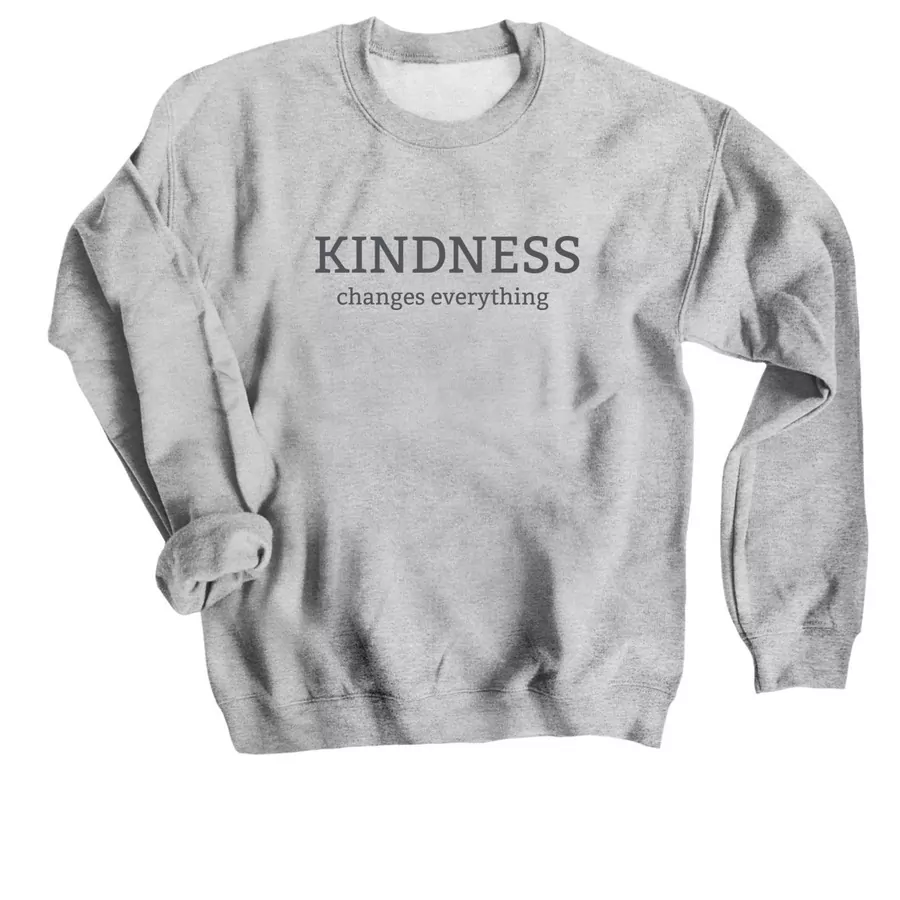
Designing with this Font: Because it reads well in both large and small sizes, Bitter works well when you need to create a visual hierarchy in the text of your design, with one line being larger, and one less emphasized.
Popular Font Pairings: Roboto, Lato, and Oswald
Permanent Marker: Best for Textured, Gritty Designs

Designing with this Font: Permanent Marker is a great option if you’re looking for a textural font for your next design. We think it looks best when used in all caps and with contrasting font and shirt colors.
Popular Font Pairings: Roboto, Lato, Oswald, and Raleway
Josefin Sans: Best for Delicate Typography
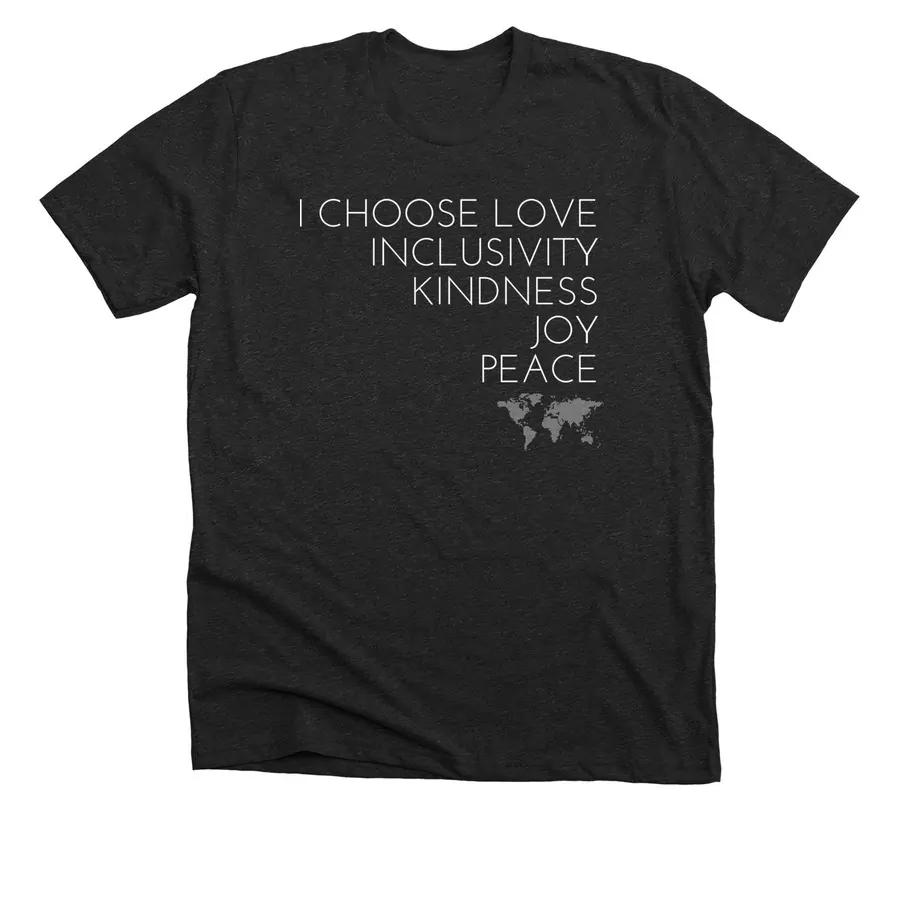
Designing with this Font: Josefin Sans is a delightfully delicate font. We recommend making sure your ink color and shirt color are very different to ensure maximum contrast and readability of your text.
Popular Font Pairings: Roboto, Lato, Raleway, and Montserrat
Yeseva One: Best for Friendly, Modern Styles

Designing with this Font: Use this modern and bold serif font for your favorite positive-vibes phrase. We styled it in all lowercase letters and spaced the letter out a bit.
Popular Font Pairings: Roboto, Playfair Display, and Lora
Wire One: Best for Tall Art Deco Styles

Designing with this Font: If you need an easy design, where your font becomes the main element, use Wire One. This t-shirt font looks even better when you overlay the text on top of a graphic or textured background.
Popular Font Pairings: Oswald, Roboto, Merriweather, Work Sans, and Montserrat
Titan One: Best for Bold, Comic-Style Layering

Designing with this Font: The Titan One is one of our bolder fonts and offers you a lot of versatility when designing. If you are trying to layer words over an image, go with a thick font like Titan One to make sure the words in your design are readable.
Popular Font Pairings: Roboto, Open Sans, and Russo One
Anton: Best for Bold Headlines

Designing with this Font: The Anton t-shirt font looks awesome when you’re using the curved text feature in our design tool. Capitalize all of the letters in the design, then add a graphic underneath that resonates with the message of your tee.
Popular Font Pairings: Roboto, Lato, Lobster, Montserrat, and Oswald
Libre Baskerville: Best for Classic & Academic Designs
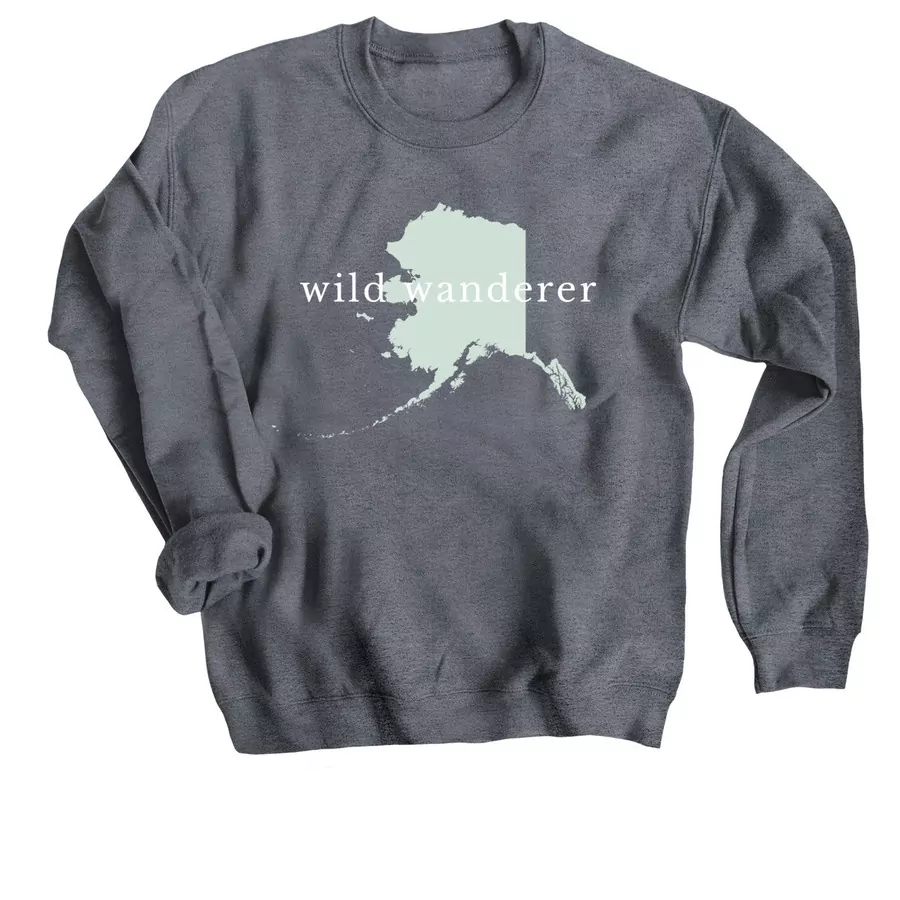
Designing with this Font: With its classically sharp lines and techno-futuristic feel, the Libre Baskerville font is great for creating a design that will never go out of style. Try adding extra spacing between the letters to enhance the appeal of your shirt.
Popular Font Pairings: Montserrat, Raleway, Roboto, Lato, and Playfair Display
Bungee: Best for Bold, Streetwear-Inspired Designs

Designing with this Font: The bold typeface of the Bungee font is perfect for creating contrast between supporting text in the design and putting emphasis on the most important words.
Popular Font Pairings: Open Sans, Arvo, Roboto, Montserrat, and Lato
Love Ya Like A Sister: Best for Childlike & Playful Styles

Designing with this Font: Love Ya Like A Sister t-shirt font is playful and childlike, with textures that make it seem hand-drawn. We used a highlighting stroke of a bring color behind a single word to draw attention to that word.
Popular Font Pairings: Oswald, Pacifico, Josefin Slab, and Merriweather
Architects Daughter: Best for Clean & Readable Hand-Lettered Scripts

Designing with this Font: Architects Daughter is a t-shirt font inspired by boxy architectural handwriting. It’s a solid choice when designing something that you want to feel hand-drawn, clean, and custom.
Popular Font Pairings: Roboto, Open Sans, Lato, Montserrat, and Arvo
T-Shirt Font FAQs
What is the most readable t-shirt font?
If you’re aiming for legibility, opt for simple, sans serif fonts such as Archivo Narrow, Montserrat, or Oswald. Additionally, make sure the text is large enough to be read from a few feet away and that there is enough contrast between the text and background colors. This color contrast checker can help you decide.
How can I choose a font for a vintage-inspired design?
To ensure your shirt design reads as “vintage,” stick to bold display fonts with a lot of personality. Shrikhand and Ultra are great retro options. Additionally, consider using retro-inspired design techniques, like thick drop shadows, and use a color palette inspired by your decade of choice—for example, warm, vibrant, earthy tones for the 1970s.
How many fonts should I use on my shirt?
Generally, using two fonts is best, but you should avoid using more than three, so your designs don’t look cluttered and hard to read. Choose one font for your headline or graphic elements. This one is meant to be eye-catching, so consider bold display fonts like Shrikhand or Bungee. For any supporting text or details, choose a more subtle, readable font like Archivo Narrow or Montserrat.
Can I use these fonts for commercial printing?
Yes! All of the fonts included in the Bonfire design tool are licensed for use in custom apparel campaigns. No need to worry about getting permission or paying for licensing.
Wrapping Up
Are you ready to start designing your shirt with your newly discovered font? If so, jump into our easy-to-use t-shirt designer to bring your design to life.
Don’t worry if you’re still not sure how to get your design started. You can use one of our free t-shirt templates to help you find a design idea. Or, we’ll create a custom design just for you.
With Bonfire, designing and selling t-shirts is a breeze.

Joe is the Director of Growth Marketing at Bonfire and has over 8 years of experience in the custom merchandise and apparel fundraising space. His favorite shirt color is Kelly Green, and he prefers hoodies over crewneck sweatshirts.